

How to Read Your Meter
Whether you’re tracking your water use, checking for a possible leak or simply curious about how your bill is calculated, knowing how to read your water meter is an easy way to better understand your water service. Use the guide below to identify your meter type and learn how to read it.
Analog Water Meters
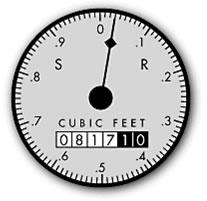
Analog water meters work much like the odometer in a car, displaying the total amount of water that has passed through the meter over time. The reading is measured in cubic feet (CF), and Golden State Water bills customers in hundred cubic feet (Ccf).
- One cubic foot equals approximately 7.48 gallons of water.
- One Ccf equals 748 gallons.
- When reading your meter, record the numbers shown on the display, excluding the last two digits.
Example
If your previous water meter reading was 817 and your current water meter reading is 829, your water use for that period would be: 829 − 817 = 12 Ccf
Digital Water Meters
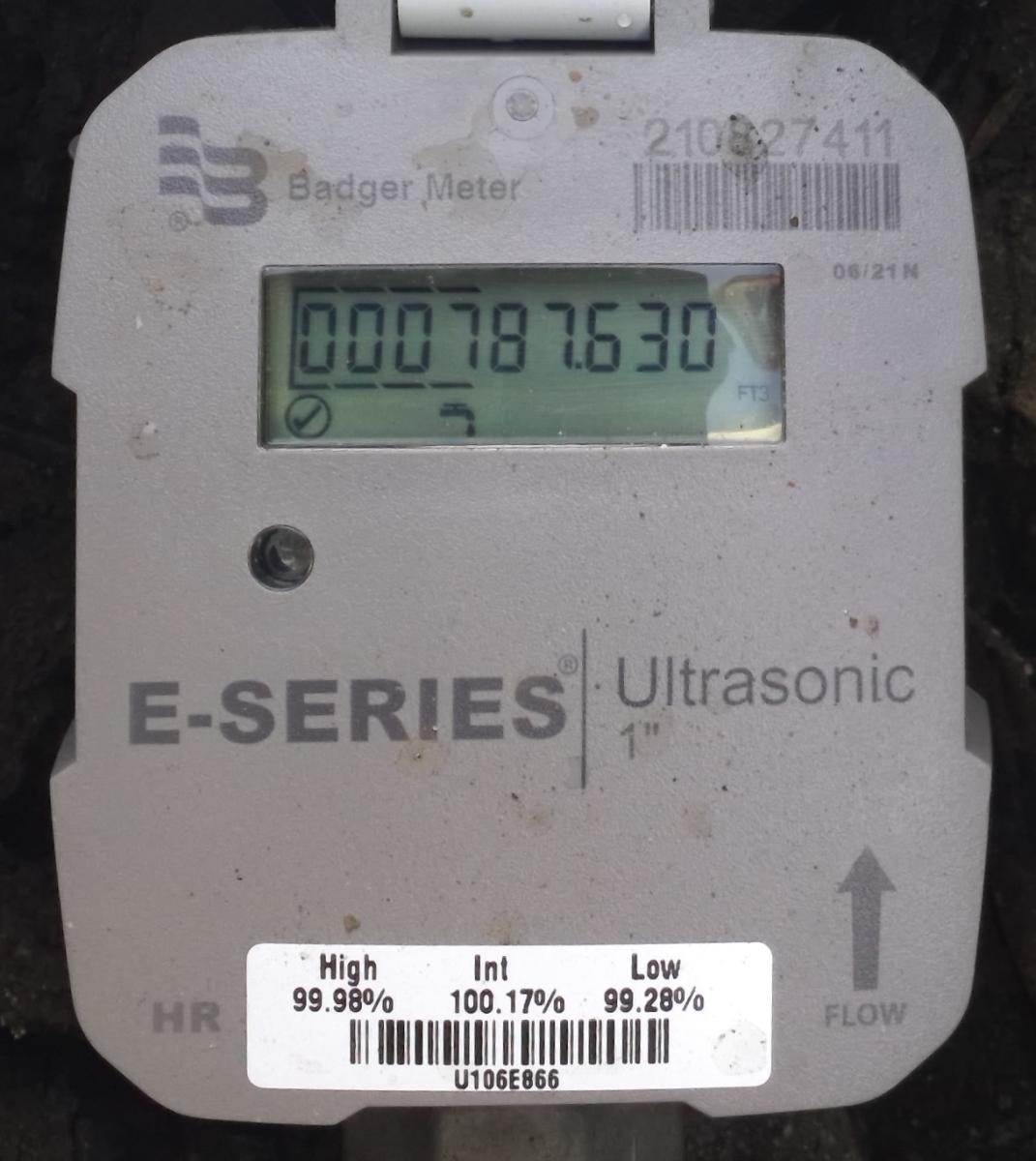
Digital water meters display your water use electronically. To find the reading used for billing, look for the digits marked by lines above and below them. These digits show your meter reading in CCF (hundred cubic feet).
Example
For example, if the marked digit is 7, the meter reading used for billing is 7 CCF. The additional digits on the display show a more detailed measurement of your water use in cubic feet.
How to Check for a Leak
- Your water meter can help you determine whether you may have a leak on your property.
- Turn off all water use. Turn off faucets, appliances, irrigation systems and other water-using fixtures inside and outside your home.
- Wait at least five minutes. Do not use any water during this time.
- Check your water meter. If the meter reading increases or continues to show water use, you may have a leak.
- If you have a digital E-Series meter, check the flow rate. Cover the small light sensor above the words “E-Series” on the meter. The display will show the current flow rate in gallons per minute (gpm). If the meter reads 0.00 gpm, no water is flowing through the meter at that moment. If it shows water flow while everything is turned off, you may have a leak.
- Look for the leak indicator. Some digital meters display a small dripping-faucet icon when ongoing water use may indicate a leak. If you see this icon, check your home and property for possible leaks.
- Check common sources of household leaks. Some leaks may occur intermittently and may not show when you check your meter. Be sure to check toilets, faucets, irrigation systems and outdoor hose bibs.
If you suspect a leak or need assistance reading your meter, please contact Golden State Water Customer Service at 1-800-999-4033.